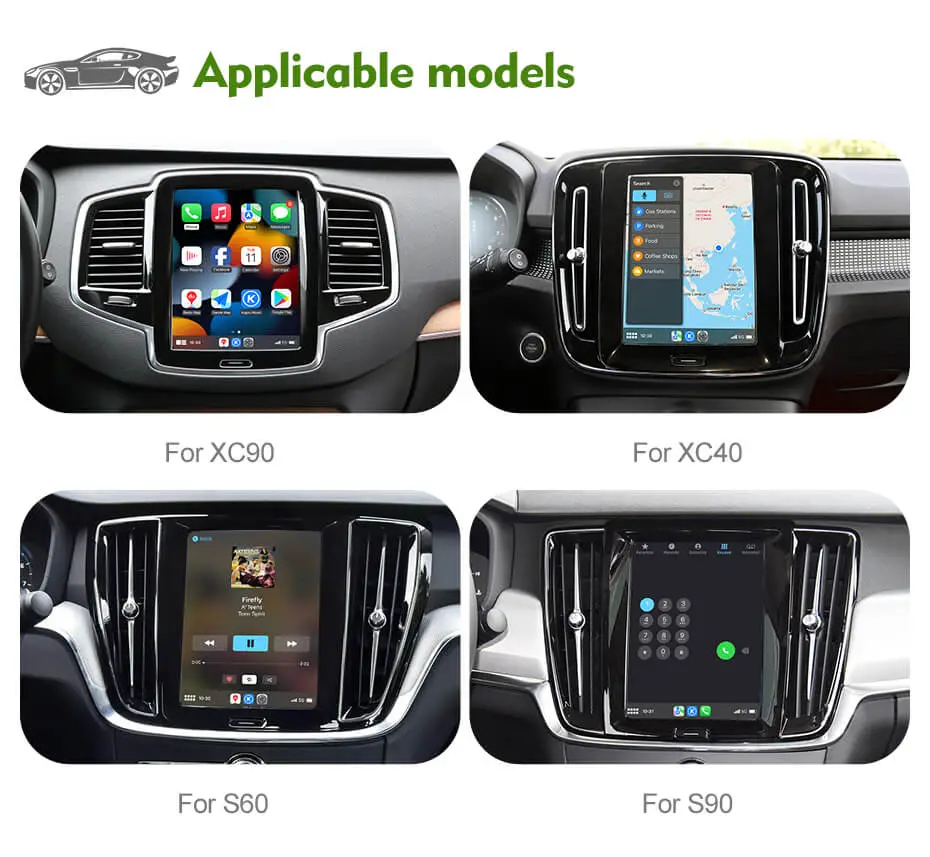
All-new Volvo product: 4K HD dash cam: Introducing the New Upgrade Version For CARPLAY/ANDROID AUTO MODULE Feature Details 1. OEM Microphone & Sound System Supports the OEM microphone and Volvo's...
All-new Volvo product: 4K HD dash cam: Introducing the New Upgrade Version For CARPLAY/ANDROID AUTO MODULE Feature Details 1. OEM Microphone & Sound System Supports the OEM microphone and Volvo's...
Introducing the New Upgrade Version For CARPLAY/ANDROID AUTO MODULE
Feature
Details
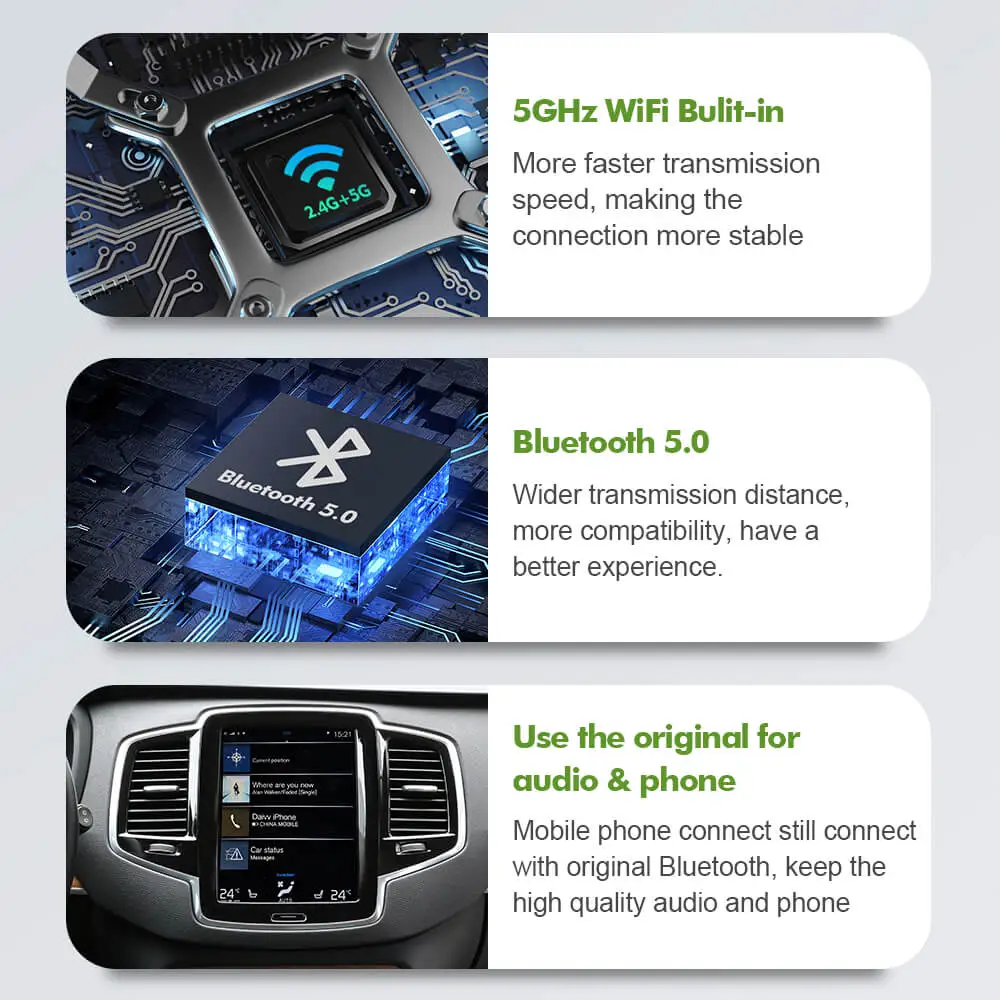
1. OEM Microphone & Sound System
Supports the OEM microphone and Volvo's BT audio, preserving top-tier audio quality. Uses the car's Bluetooth audio channel to reduce sound transmission loss for seamless calls and music playback.
2. Full-Screen Android Auto & CarPlay
Full-screen compatibility with Android Auto & CarPlay — not available in previous models.
3. HiCar Functionality
Added HiCar support for enhanced interaction between car and mobile phone. Remarkably smooth operation and seamless connectivity. (Huawei & Honor phones, Mainland China only)
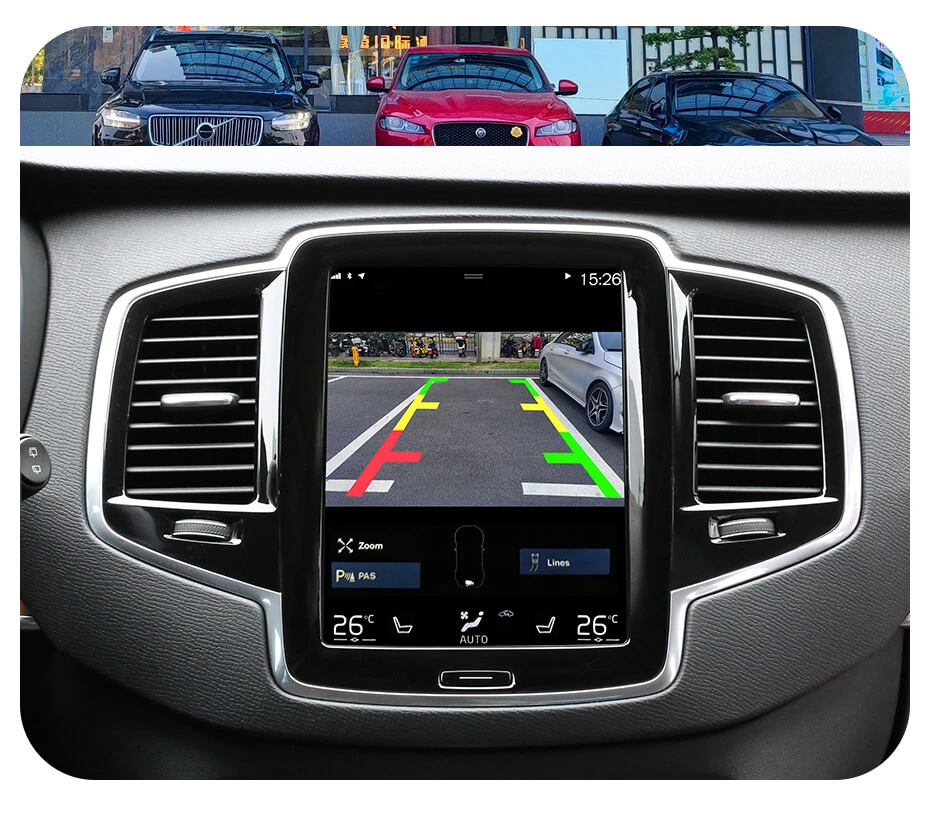
4. Wireless Factory Camera Support
No manual wiring needed for original rear camera or 360° camera. Simplifies installation and enhances convenience.
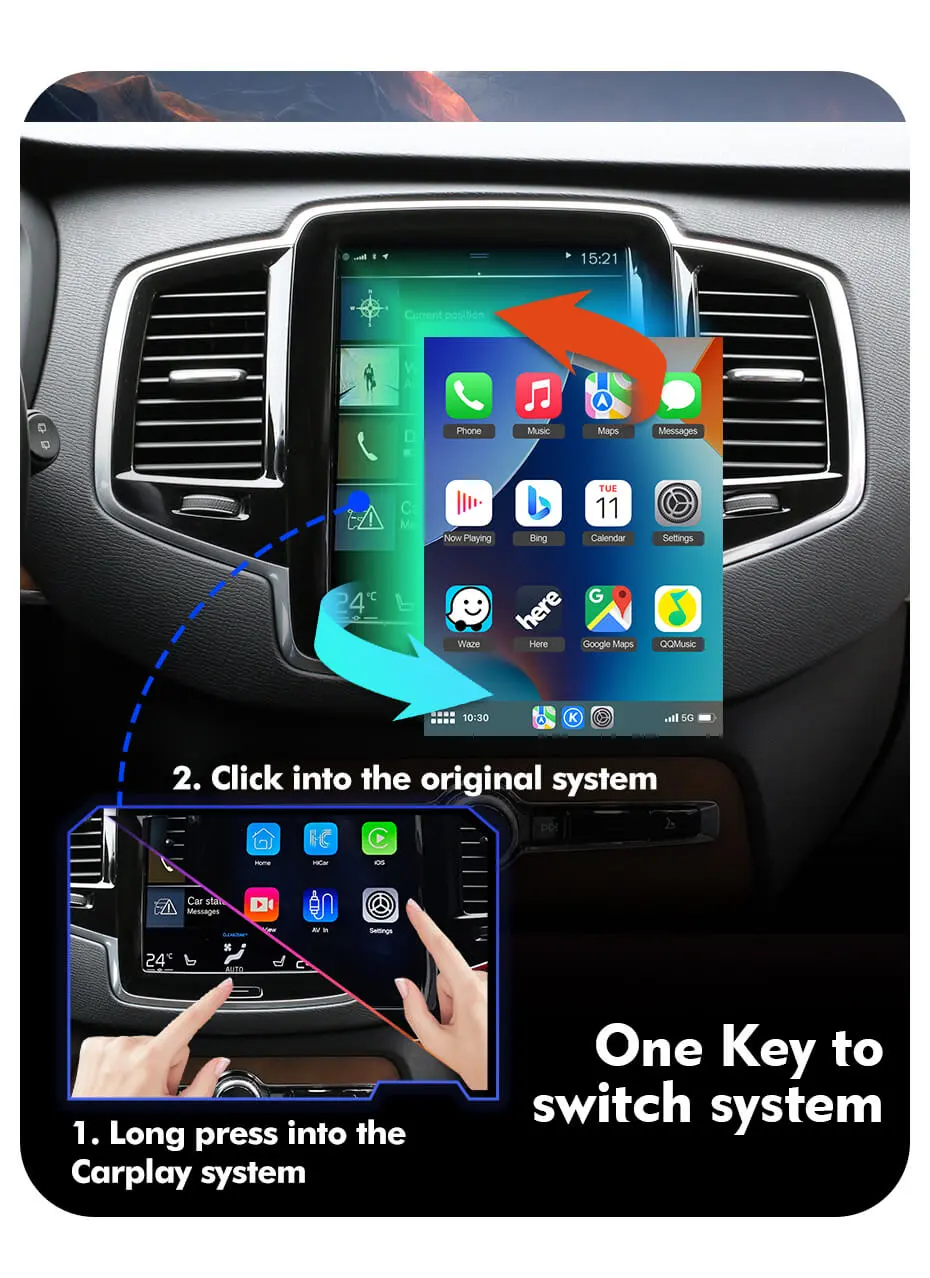
5. One-Click System Switching
Simply press the "Home" button to enter CP/AA mode. No need to swipe down with two fingers as before.
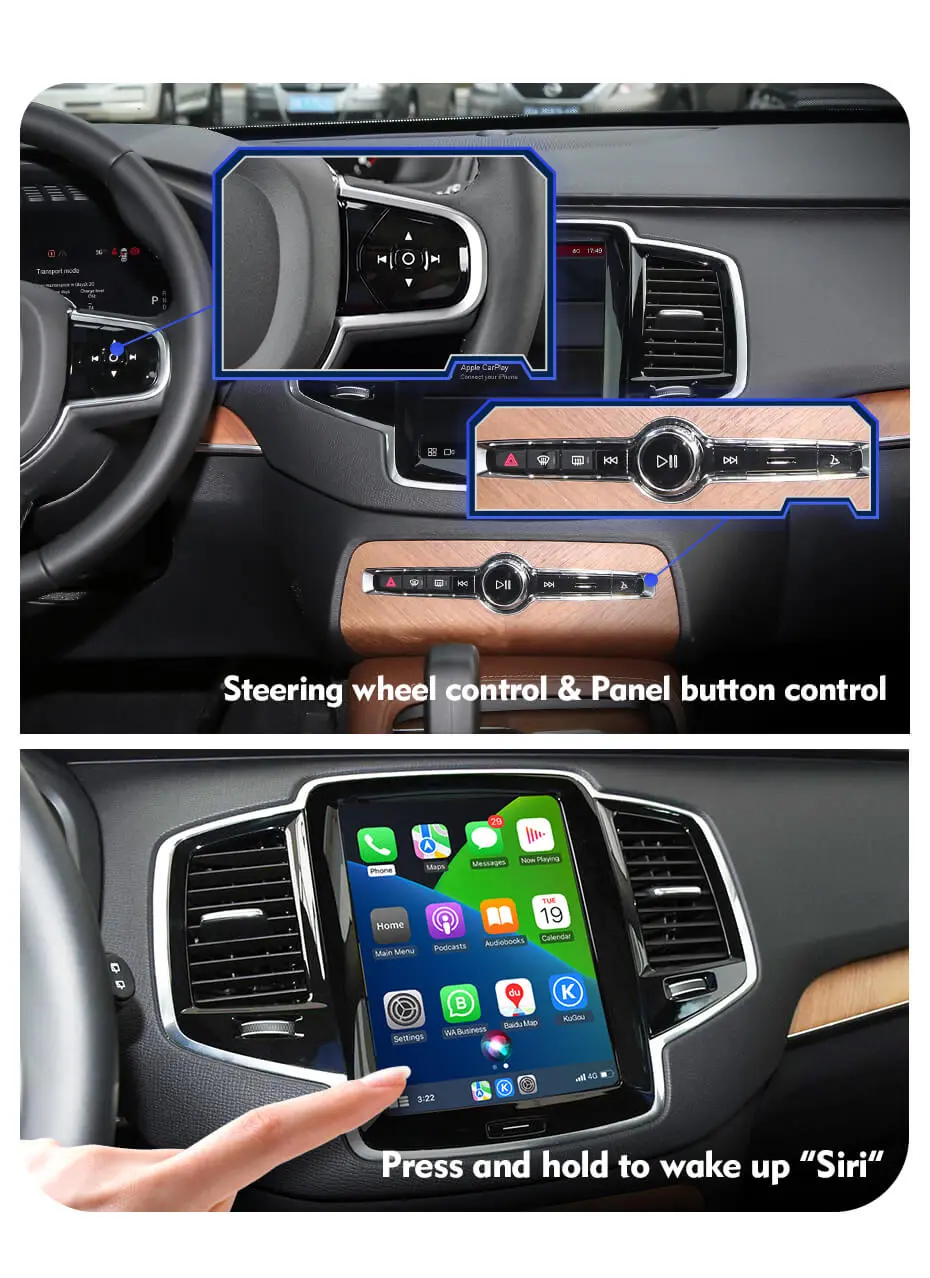
6. Button Control Support
Supports steering wheel control and panel button control. (Voice activation buttons on the steering wheel are not supported.)
Note:The Upgrade version does not support mirror link and USB flash play. CarPlay and Android Auto can only use apps that support use in CarPlay and Android Auto. (Video apps cannot be used). When answering a call, please use the steering wheel controls to avoid changing the audio output path.
⚠️ Some models after 2023 will have compatibility issues, and there will be problems such as the module automatically restarting or black screen. Please confirm your model year before purchasing.
*The manual includes some new location for the CAN cables, and we currently recommend the CAN cable in the door track (location three mentioned in the manual).
Product function video in Volvo after installation(V2 version-Carplay):
Intalled demo in Volvo, Plug in&Play, Easy to install(V2 version):
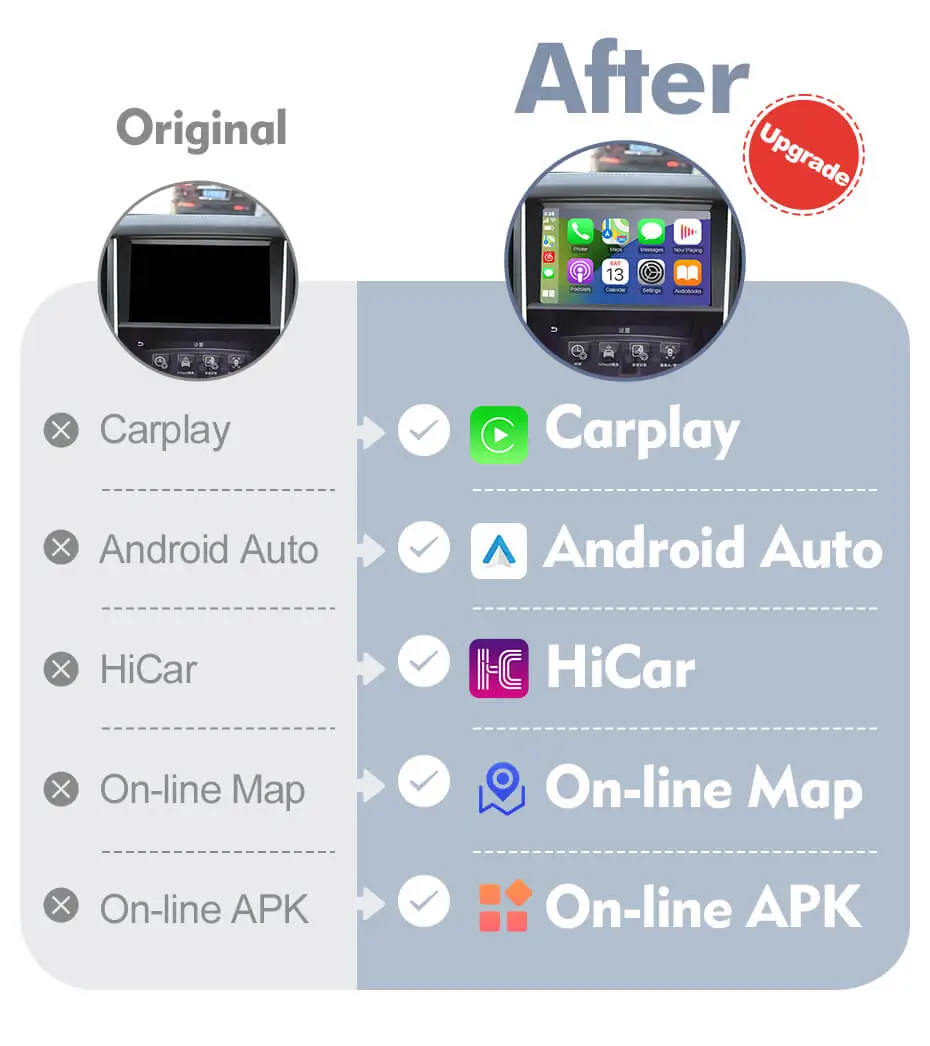
Here are the differences between the new version and the old version
Also the module is fully compatible with car, even without Android Auto or CarPlay.
Regarding the CAN cable connection, we currently recommend using the CAN cable in the door track of the front passenger seat.
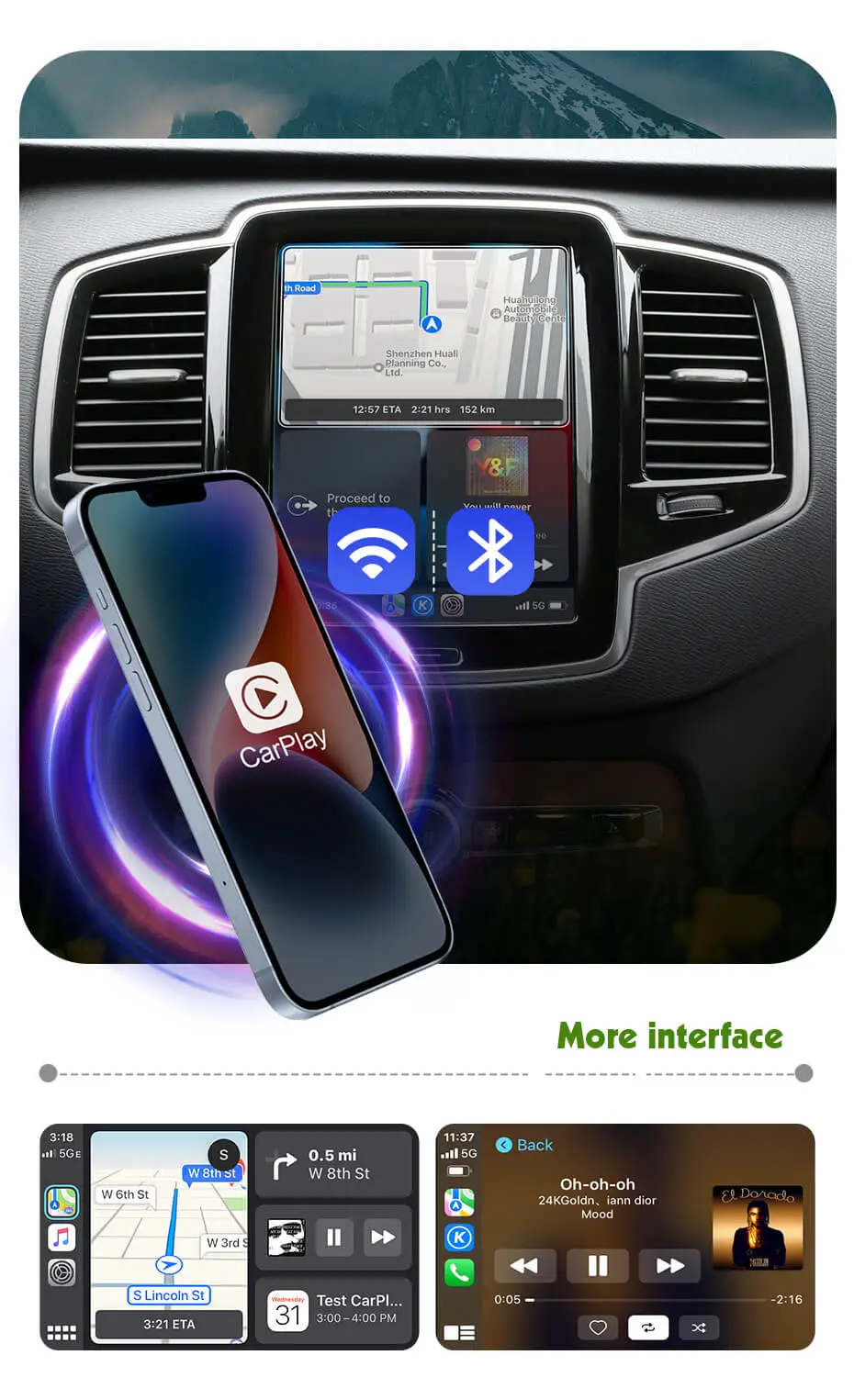
Adding Full screen wireless/wired Apple Carplay Enhance your driving experience with full-screen CarPlay. Experience seamless integration with popular apps such as Google Maps, Spotify, Waze and mobile phone functions... Partial Compatibility Issues: 1. Some map guidance lines may not appear centered on the display. 2. The Siri wake-up function may not work, but some users have reported successfully enabling it in actual use. [You can try adding an external microphone to see if it works.] 3. Automatic day/night mode is not supported, but manual day/night mode is supported. (Map and CarPlay pages)
If you have any concerns regarding the points mentioned above, please refrain from purchasing this product; we will not accept return requests based on these specific grounds.
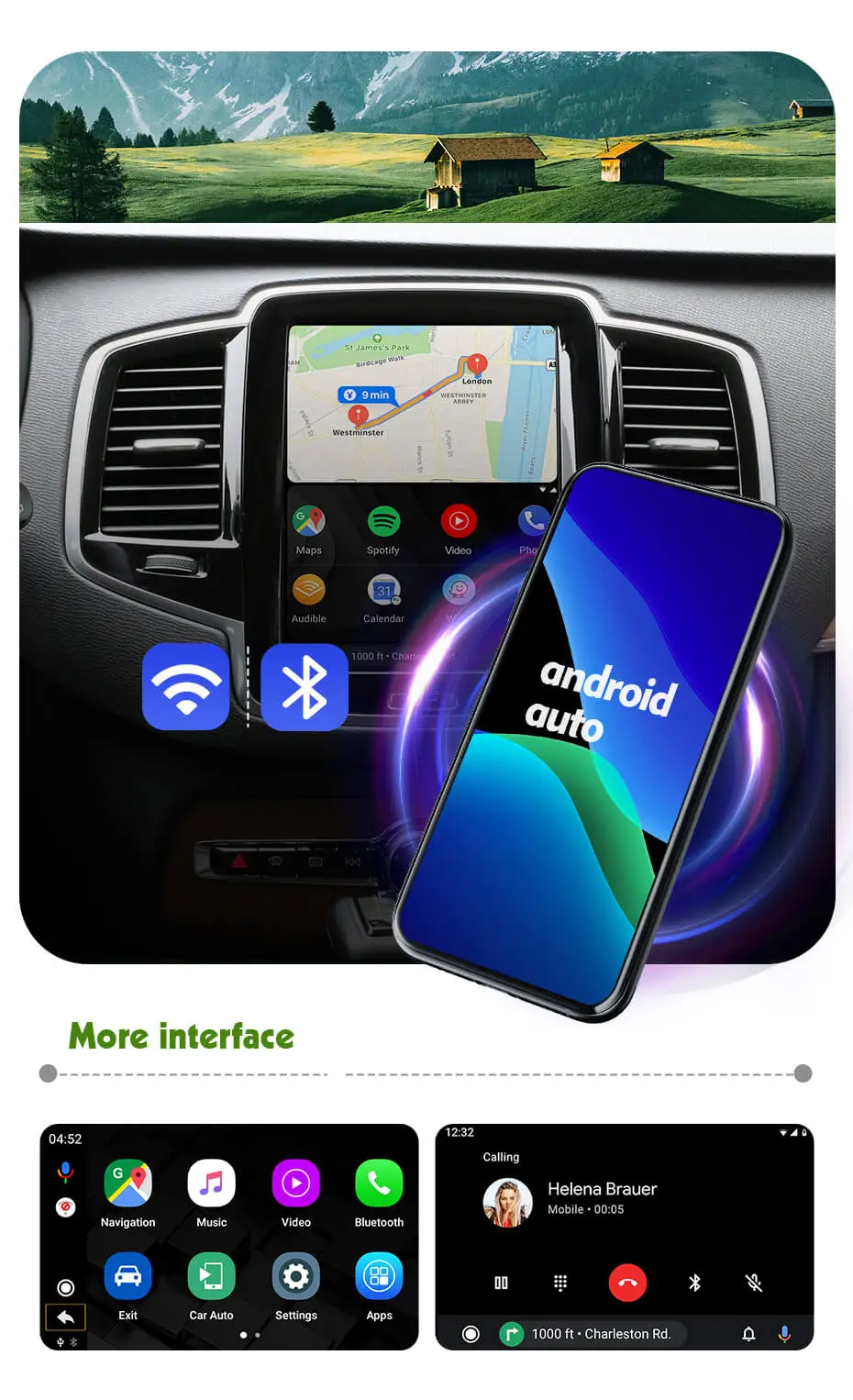
Full Screen Android Auto Connection Enhance your driving experience with Wireless/Wired Android Auto. Experience seamless integration with popular apps such as Google Maps, Spotify, Waze, and mobile phone functions. Partial Compatibility Issues: 1. Some map guide lines may not be centered. 2. Wireless connection is only compatible with some Pixel and Nexus models. 3. Automatic day/night mode is not supported, but manual switching between day/night modes is supported. (Map) 4. Google Assistant is not currently supported, but some users have reported successfully enabling it in actual use. [You can try enabling the "Hey Google" voice wake-up function in Android Auto settings and installing an external microphone to test if the function is available on your vehicle.] 5. Due to limitations in display parameters of Google and Android Auto (AA), the display quality of Android Auto (AA) may be slightly inferior to CarPlay, but it has been optimized to its best. [Please note that AA's display quality is not ultra-clear].
If you have any concerns regarding the points mentioned above, please refrain from purchasing this product; we will not accept return requests based on these specific grounds.
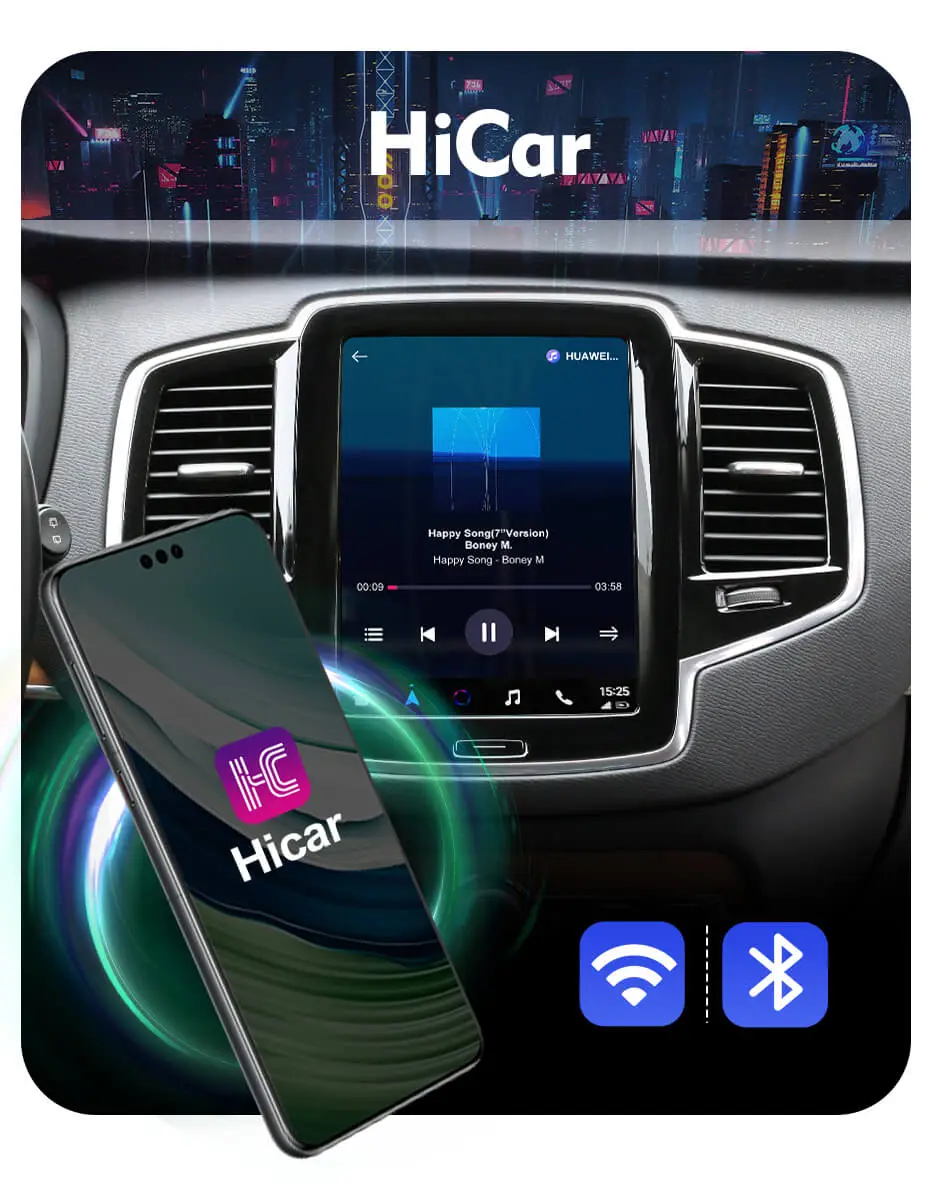
HICAR Compatibility Connecting via HiCar with your Huawei and Honor smartphone provides a remarkably smooth user interface. Additionally, with HiCar, you can even enjoy video playback and gaming.
Support steering wheel control and Siri activation Control music tracks up and down, control volume ect.. Retain all original steering wheel functions while in CP/AA mode. Support wake up Siri of your phone by calling“Hi, Siri” or Long pressing the screen to activate Siri on your phone. Note: If some of Siri's functions are not supported by CarPlay, they will not be displayed on the full-screen CarPlay interface. Voice activation with "Hi, Siri" can be difficult to recognize if the phone is placed too far away. It's best to use the touch screen to activate Siri instead. The volume of Siri's voice is relatively low. You can long-press to activate Siri and then adjust the volume by pressing the volume up button on your phone.
Note: Google Assistant is not supported, and the voice buttons in the steering wheel are not supported.
One Key to switch systems Long press “ Home” button on the screen to enter CP/AA mode
Support OEM Rear View Camera & 360 Degree Camera The wireless manual wiring allows for automatic switching to the rearview camera/360 degree camera/ parking sensor screen when reversing. For installing an aftermarket camera, the module supports resolutions up to 720P, and the picture will be stretched.
Note: Due to compatibility issues, for some models without factory rearview cameras, the radar still cannot be displayed on the module page after installing the aftermarket camera.
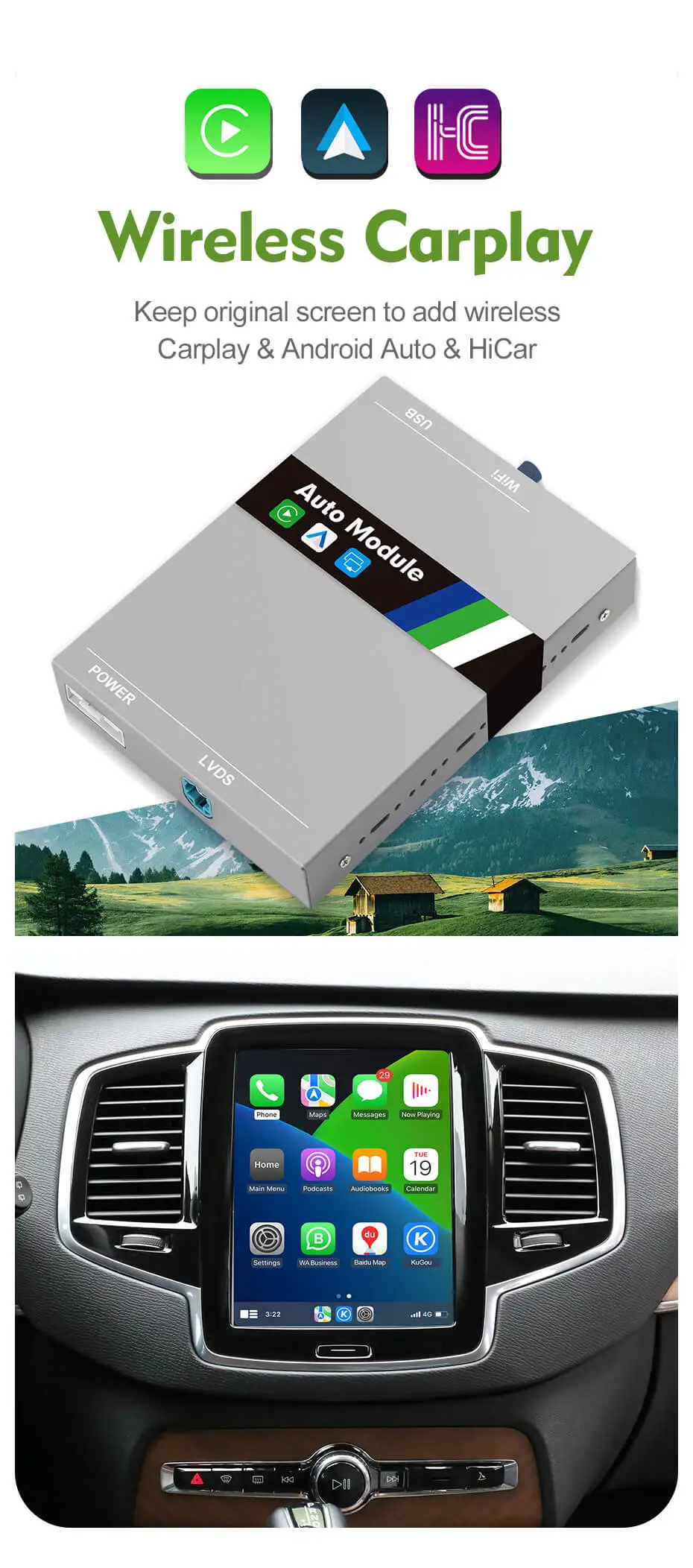
Other Functions Support bluetooth 5.0 and 5.0hz wifi connection. Support multi-language interface, English, Spanish, Czech and more than a dozen languages. The module establishes CarPlay and Android Auto connections via Wi-Fi and Bluetooth, and it inputs audio through the car's Bluetooth.
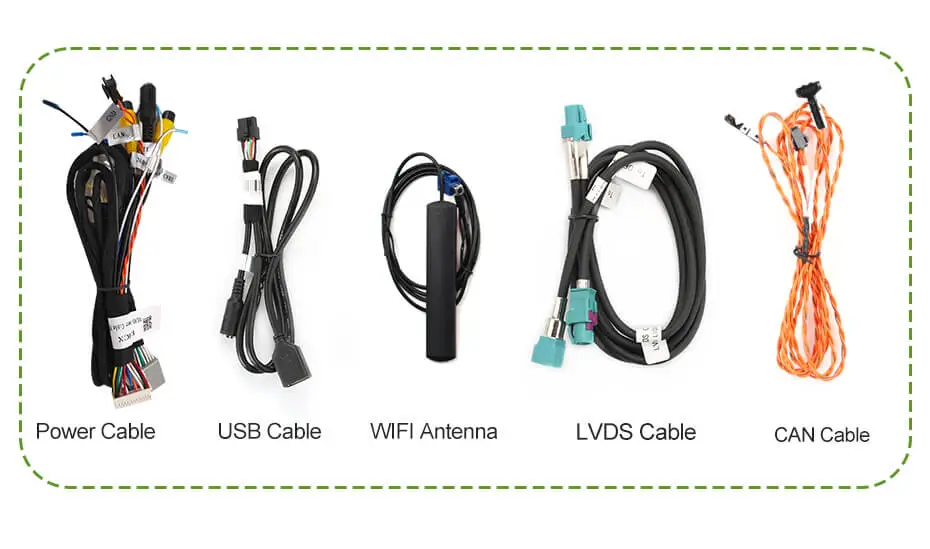
Complete Package with Accessories Included Easy Plug-and-Play Installation with PDF Detailed Manual
Please note that the orange CAN cable in the picture must be connected, otherwise the module and car functions will not be able to start.
All-new Volvo product: 4K HD dash cam:
Introducing the New Upgrade Version For CARPLAY/ANDROID AUTO MODULE
Feature
Details
1. OEM Microphone & Sound System
Supports the OEM microphone and Volvo's BT audio, preserving top-tier audio quality. Uses the car's Bluetooth audio channel to reduce sound transmission loss for seamless calls and music playback.
2. Full-Screen Android Auto & CarPlay
Full-screen compatibility with Android Auto & CarPlay — not available in previous models.
3. HiCar Functionality
Added HiCar support for enhanced interaction between car and mobile phone. Remarkably smooth operation and seamless connectivity. (Huawei & Honor phones, Mainland China only)
4. Wireless Factory Camera Support
No manual wiring needed for original rear camera or 360° camera. Simplifies installation and enhances convenience.
5. One-Click System Switching
Simply press the "Home" button to enter CP/AA mode. No need to swipe down with two fingers as before.
6. Button Control Support
Supports steering wheel control and panel button control. (Voice activation buttons on the steering wheel are not supported.)
Note:The Upgrade version does not support mirror link and USB flash play. CarPlay and Android Auto can only use apps that support use in CarPlay and Android Auto. (Video apps cannot be used). When answering a call, please use the steering wheel controls to avoid changing the audio output path.
⚠️ Some models after 2023 will have compatibility issues, and there will be problems such as the module automatically restarting or black screen. Please confirm your model year before purchasing.
*The manual includes some new location for the CAN cables, and we currently recommend the CAN cable in the door track (location three mentioned in the manual).
Product function video in Volvo after installation(V2 version-Carplay):
Intalled demo in Volvo, Plug in&Play, Easy to install(V2 version):
Here are the differences between the new version and the old version
Also the module is fully compatible with car, even without Android Auto or CarPlay.
Regarding the CAN cable connection, we currently recommend using the CAN cable in the door track of the front passenger seat.
Adding Full screen wireless/wired Apple Carplay Enhance your driving experience with full-screen CarPlay. Experience seamless integration with popular apps such as Google Maps, Spotify, Waze and mobile phone functions... Partial Compatibility Issues: 1. Some map guidance lines may not appear centered on the display. 2. The Siri wake-up function may not work, but some users have reported successfully enabling it in actual use. [You can try adding an external microphone to see if it works.] 3. Automatic day/night mode is not supported, but manual day/night mode is supported. (Map and CarPlay pages)
If you have any concerns regarding the points mentioned above, please refrain from purchasing this product; we will not accept return requests based on these specific grounds.
Full Screen Android Auto Connection Enhance your driving experience with Wireless/Wired Android Auto. Experience seamless integration with popular apps such as Google Maps, Spotify, Waze, and mobile phone functions. Partial Compatibility Issues: 1. Some map guide lines may not be centered. 2. Wireless connection is only compatible with some Pixel and Nexus models. 3. Automatic day/night mode is not supported, but manual switching between day/night modes is supported. (Map) 4. Google Assistant is not currently supported, but some users have reported successfully enabling it in actual use. [You can try enabling the "Hey Google" voice wake-up function in Android Auto settings and installing an external microphone to test if the function is available on your vehicle.] 5. Due to limitations in display parameters of Google and Android Auto (AA), the display quality of Android Auto (AA) may be slightly inferior to CarPlay, but it has been optimized to its best. [Please note that AA's display quality is not ultra-clear].
If you have any concerns regarding the points mentioned above, please refrain from purchasing this product; we will not accept return requests based on these specific grounds.
HICAR Compatibility Connecting via HiCar with your Huawei and Honor smartphone provides a remarkably smooth user interface. Additionally, with HiCar, you can even enjoy video playback and gaming.
Support steering wheel control and Siri activation Control music tracks up and down, control volume ect.. Retain all original steering wheel functions while in CP/AA mode. Support wake up Siri of your phone by calling“Hi, Siri” or Long pressing the screen to activate Siri on your phone. Note: If some of Siri's functions are not supported by CarPlay, they will not be displayed on the full-screen CarPlay interface. Voice activation with "Hi, Siri" can be difficult to recognize if the phone is placed too far away. It's best to use the touch screen to activate Siri instead. The volume of Siri's voice is relatively low. You can long-press to activate Siri and then adjust the volume by pressing the volume up button on your phone.
Note: Google Assistant is not supported, and the voice buttons in the steering wheel are not supported.
One Key to switch systems Long press “ Home” button on the screen to enter CP/AA mode
Support OEM Rear View Camera & 360 Degree Camera The wireless manual wiring allows for automatic switching to the rearview camera/360 degree camera/ parking sensor screen when reversing. For installing an aftermarket camera, the module supports resolutions up to 720P, and the picture will be stretched.
Note: Due to compatibility issues, for some models without factory rearview cameras, the radar still cannot be displayed on the module page after installing the aftermarket camera.
Other Functions Support bluetooth 5.0 and 5.0hz wifi connection. Support multi-language interface, English, Spanish, Czech and more than a dozen languages. The module establishes CarPlay and Android Auto connections via Wi-Fi and Bluetooth, and it inputs audio through the car's Bluetooth.
Complete Package with Accessories Included Easy Plug-and-Play Installation with PDF Detailed Manual
Please note that the orange CAN cable in the picture must be connected, otherwise the module and car functions will not be able to start.
If the product you receive is not as described or low quality, the seller promises that you may return it before order completion.
The return shipping fee will be paid by you.
We offer retrun and refund within 15 days after purchase. And offer 2 years warranty.(Except virtual products and accessories.)
If you do not receive your purchase within 30 - 60 days, you can ask for a full refund.
Or you can choose to keep the product and agree the refund amount directly with the seller.
Clearance items are not covered by warranty.
If the product you receive is not as described or low quality, the seller promises that you may return it before order completion.
The return shipping fee will be paid by you.
We offer retrun and refund within 15 days after purchase. And offer 2 years warranty.(Except virtual products and accessories.)
If you do not receive your purchase within 30 - 60 days, you can ask for a full refund.
Or you can choose to keep the product and agree the refund amount directly with the seller.
Great product with good installation instructions. I messed up the installation and they helped to correct my mistake. It is a great product and works perfect.
S
Stefan Filkov
Great
Great
A
Anonymous
Incredibly easy to install after watching the video’s about an hour and figuring out the initial
Incredibly easy to install after watching the video’s about an hour and figuring out the initial settings actually took longer than the installation but once we did, it worked and integrated with the Volvo Sensus surprisingly well. It switches perfectly including in reverse.
A UI game changer for older Volvo’s
This video features the Angle Key 2.0 T10M as an example: 10" Screen Physical Knob + Buttons Car Radio For Kia K3 Cetrato 3 Forte 2013-20171. Key Features:Touchscreen + Angle...
This video features the Angle Key 2.0 T10M as an example: 10" Screen Physical Knob + Buttons Car Radio For Kia K3 Cetrato 3 Forte 2013-20171. Key Features:Touchscreen + Angle...
This video features the Angle Key 2.0 T10M as an example: 10" Screen Physical Knob + Buttons Car Radio for BMW 3 Series E46 M3 318/320/325/330/335 1998-20051. Key Features:Touchscreen +...
This video features the Angle Key 2.0 T10M as an example: 10" Screen Physical Knob + Buttons Car Radio for BMW 3 Series E46 M3 318/320/325/330/335 1998-20051. Key Features:Touchscreen +...
This video features the Angle Key 2.0 T10M as an example: 10" Screen Physical Knob + Buttons Car Radio For BMW X5 E53 E39 1995-20061. Key Features:Touchscreen + Angle Physical...
This video features the Angle Key 2.0 T10M as an example: 10" Screen Physical Knob + Buttons Car Radio For BMW X5 E53 E39 1995-20061. Key Features:Touchscreen + Angle Physical...
This video features the Angle Key 2.0 T10M as an example: 10" Screen Physical Knob + Buttons Car Radio For Chevrolet Aveo 2005-20171. Key Features:Touchscreen + Angle Physical Buttons -...
This video features the Angle Key 2.0 T10M as an example: 10" Screen Physical Knob + Buttons Car Radio For Chevrolet Aveo 2005-20171. Key Features:Touchscreen + Angle Physical Buttons -...
This video features the Angle Key 2.0 T10M as an example: 10" Screen Physical Knob + Buttons Car Radio For Chevrolet Cavalier 2016-20201. Key Features:Touchscreen + Angle Physical Buttons -...
This video features the Angle Key 2.0 T10M as an example: 10" Screen Physical Knob + Buttons Car Radio For Chevrolet Cavalier 2016-20201. Key Features:Touchscreen + Angle Physical Buttons -...
This video features the Angle Key 2.0 T10M as an example: 10" Screen Physical Knob + Buttons Car Radio For Chevrolet Gmc Silverado Sierra 2014-20181. Key Features:Touchscreen + Angle Physical...
This video features the Angle Key 2.0 T10M as an example: 10" Screen Physical Knob + Buttons Car Radio For Chevrolet Gmc Silverado Sierra 2014-20181. Key Features:Touchscreen + Angle Physical...
This video features the Angle Key 2.0 T10M as an example: 10" Screen Physical Knob + Buttons Car Radio For Chevrolet Onix 2018-20221. Key Features:Touchscreen + Angle Physical Buttons -...
This video features the Angle Key 2.0 T10M as an example: 10" Screen Physical Knob + Buttons Car Radio For Chevrolet Onix 2018-20221. Key Features:Touchscreen + Angle Physical Buttons -...
This video features the Angle Key 2.0 T10M as an example: 10" Screen Physical Knob + Buttons Car Radio For Chevrolet Trax 2017-20221. Key Features:Touchscreen + Angle Physical Buttons -...
This video features the Angle Key 2.0 T10M as an example: 10" Screen Physical Knob + Buttons Car Radio For Chevrolet Trax 2017-20221. Key Features:Touchscreen + Angle Physical Buttons -...
 English
 Russian